In short
- Your profile feeds the match score — the "I Am" and "I Am Into" tags you pick are what Discover matches you on. Empty tags = 0% match, for everyone.
- Edit it all under Menu → Edit my profile, in four tabs: Basics, Socials, Identity and Faves.
- Photos live in albums: a public album (your face to the world) and private albums you unlock per person.
- Almost every section has an on/off switch — you decide what's public.
Why a full profile matters
On DudesChat, your profile isn't decoration — it's input. The match percentage you see on every Discover tile is computed from profile data, in both directions: how well he fits what you're into, and how well you fit what he's into. The tags you pick are the raw material. A Dude with no tags scores 0% with everyone, sits at the bottom of every match-sorted list, and gives nobody a reason to say more than "hey".
Beyond the algorithm, a filled profile is openers: a shared language, the same game, that band. Ten minutes of filling things in beats a hundred "sup" messages. The mechanics of the score itself are on the Discover & matching page.
The basics — Menu → Edit my profile
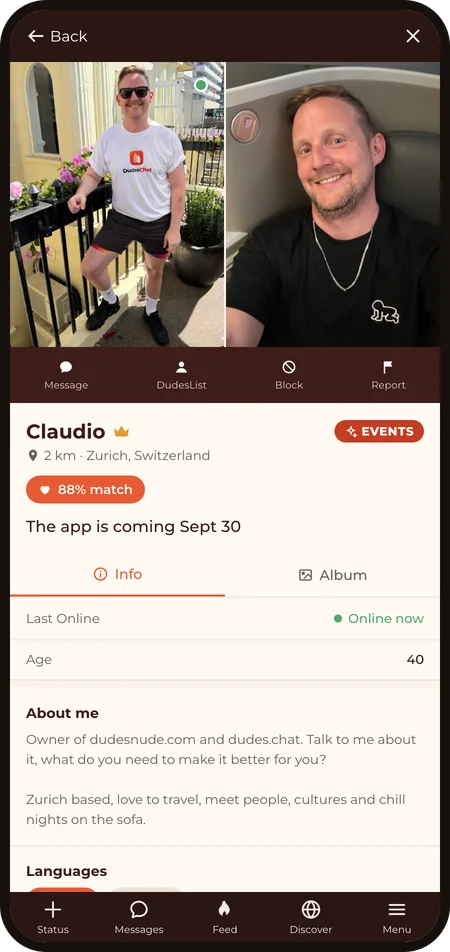
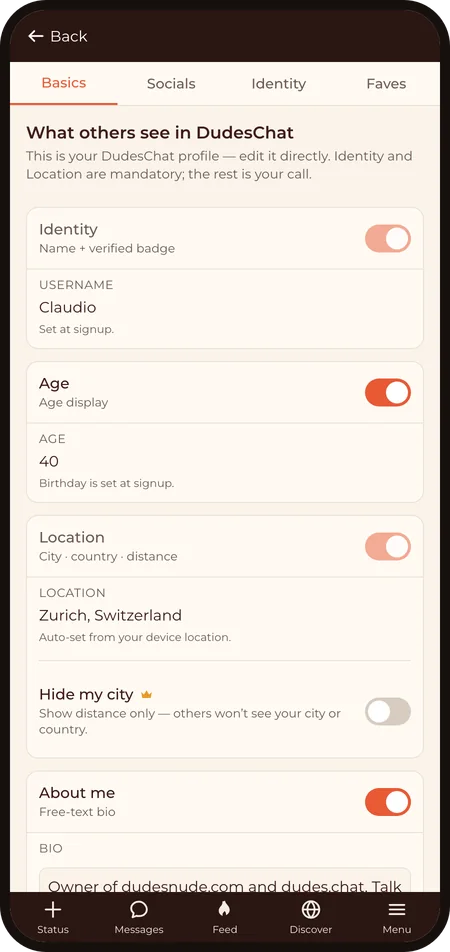
- Identity — your username and verified badge. Always shown; Supporters can change the username under Menu → My Account.
- Age — computed from your date of birth. You can hide it with its switch.
- Location — city, country, and distance, derived from your coarse position. Always on; Supporters can additionally hide their city name. Your exact position is never shown to anyone; see Privacy & your data.
- About me — free text, up to 2,000 characters. The one section written in your own voice; a couple of honest lines outperform a wall of emoji.
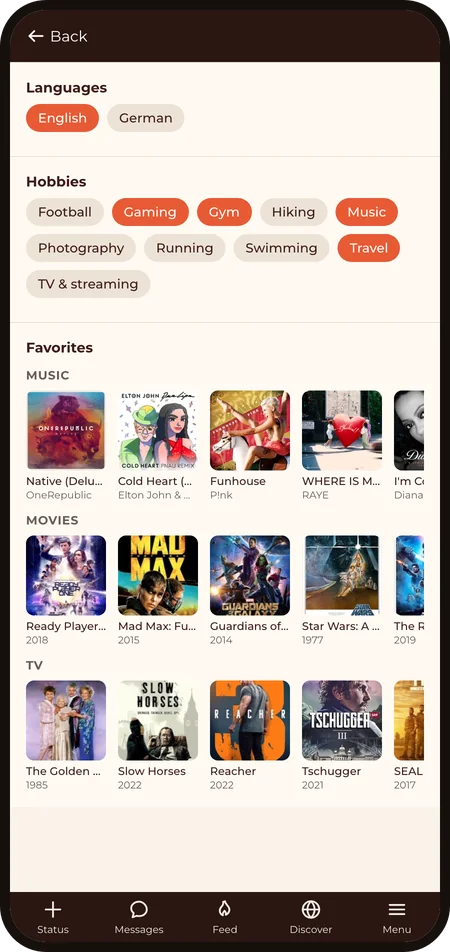
- Languages — the languages you speak. Small detail, big deal when someone nearby realises they can drop into their mother tongue. And it's searchable.
- Hobbies — gym, travel, gaming, cooking… pick what's true. Hobbies are search filters too, so they make you findable.
Sexual identity — its own tab, your call
Under Menu → Edit my profile → Identity live the sections that describe what you're into — each with its own visibility toggle, and two of them doing double duty as match inputs:
- Position & identity — your position and related details.
- "I Am" tags — the communities that describe you.
- "I Am Into" tags — the communities you're drawn to. These two tag sets are exactly what the match score is computed from: the single highest-leverage thing you can fill in.
- Kinks — a separate list with its own toggle, on by default. Hide it whenever you want to.
- Health & Protection — safeguards and vaccines you choose to show. Your last-tested date is private unless you switch it on: share it and others see only how long ago it was — "3 weeks ago", never the exact date — and hiding the section hides it too. Your test reminders stay always private, visible to you alone.
Socials & Favorites — the rest of you
- Socials (Edit my profile → Socials) — link your other handles: Bluesky, X, Instagram, Steam, Twitch, Letterboxd, Goodreads, Strava and more. You type the handle, the app builds the link, and people find more of you exactly where you want them to.
- Favorites (Edit my profile → Faves) — your taste shelf: pick up to 3 of 6 categories (music, podcasts, books, games, movies, TV) with up to 5 picks each. You search the real catalogue and pin the actual album, film, or game, cover art included. Three categories, not six, because a focused shelf says more than a data dump — and "wait, you're into that too?" is the best opener in the app.
Photos & albums
- Public album — your face to the world. Members get 2 slots, Supporters 6; slot 1 is your main photo, which goes through human review (that's the activation step from Getting started). Replacing it? Your current photo stays live until the new one is approved, so you're never invisible in between.
- Private album — photos you unlock per person, one Dude at a time, from a conversation. Members get 2 slots, Supporters 6, and Supporters get a second private album on top. Nobody sees inside until you unlock it for them; Messaging covers how unlocking works.
- Videos — album clips run up to 15 seconds for members and 60 seconds for Supporters, with an in-app trimmer to cut the right moment.
Every photo and video must be of you (you confirm that on each upload), and everything keeps its pants on everywhere in the app. The Content Guidelines draw the exact lines.
Who sees what — two layers of control
- Your toggles — most sections carry an on/off switch (age, about, hobbies, sexual identity, kinks, health…). Off means that section doesn't exist on your public profile. Synced across your devices.
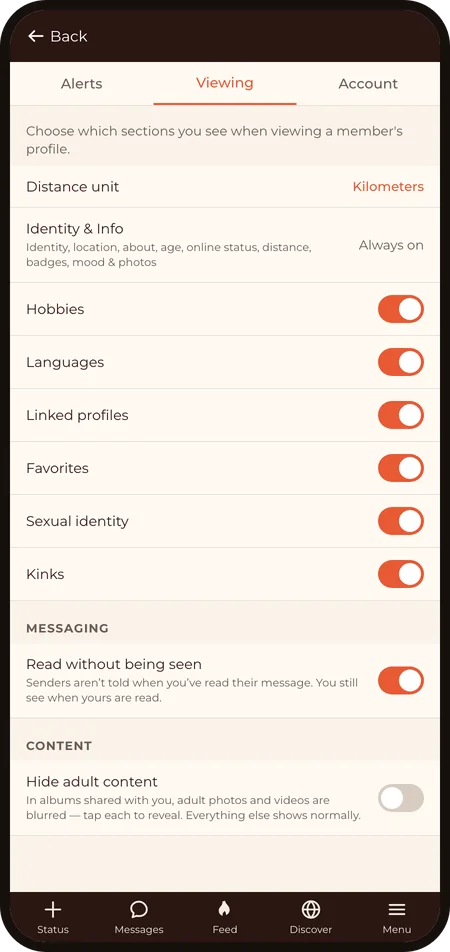
- Your viewing preferences — separately, Menu → Viewing Preferences controls what you see on other Dudes' profiles. Not interested in seeing kinks sections at all? Switch the category off and it disappears from every profile — and from your search filters. Every category starts on; switch off whatever you'd rather not see.
One honest note: sections you hide can't help your matches or make you findable in search. Hide what you want — know the trade.
Moods — the living part
The one profile element that's meant to change constantly: your mood — what you're up for right now, with an optional one-liner. It's big enough to have its own page: Moods & the Feed.
Last revised: 2026‑09‑12