In short
- Download the app, sign up with your email, and pick a username.
- You'll be asked for your location, a profile photo, and to confirm you're 18 or older.
- Your profile photo is reviewed by a human — usually within 24 hours.
- Once approved, everything opens up: Discover, Messages, Feed, and more.
Getting the app
DudesChat runs on iOS, Android, and the web — one account works everywhere. The iOS app releases on 30 September 2026 — pre-order it on the App Store. Until then, and on Android, use the web app at app.dudes.chat; your profile carries over.
Creating your account
Sign-up takes a couple of minutes:
- Email & username — pick a username (Supporters can change it later) and confirm your email address. We'll send you a verification link.
- Date of birth — DudesChat is for adults. You must be 18 or older to join, and you'll confirm that during sign-up.
- Password — yours alone. We never ask for it by email.
The onboarding steps
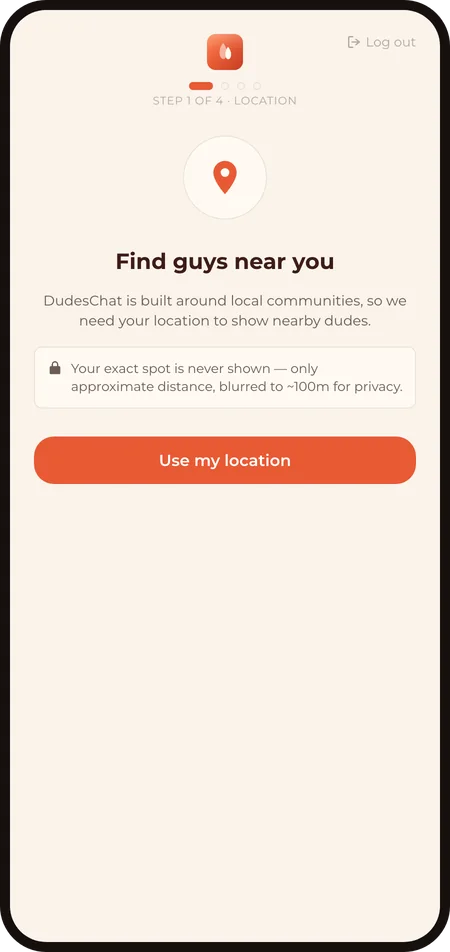
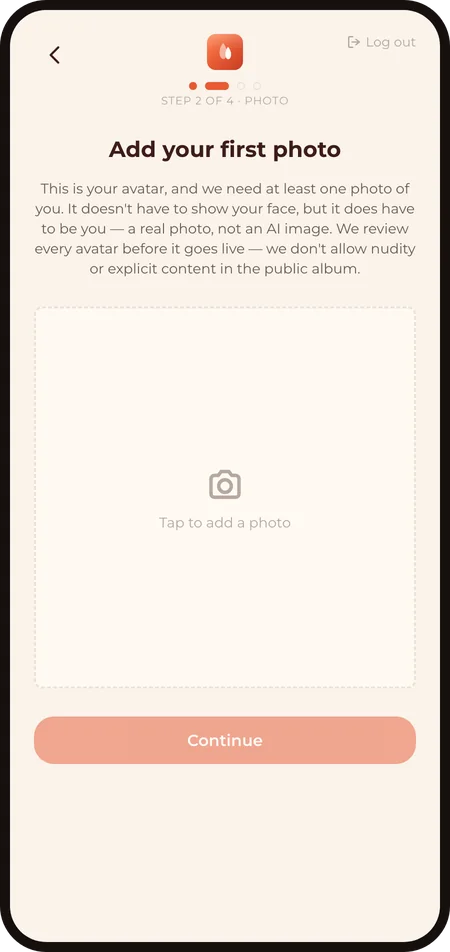
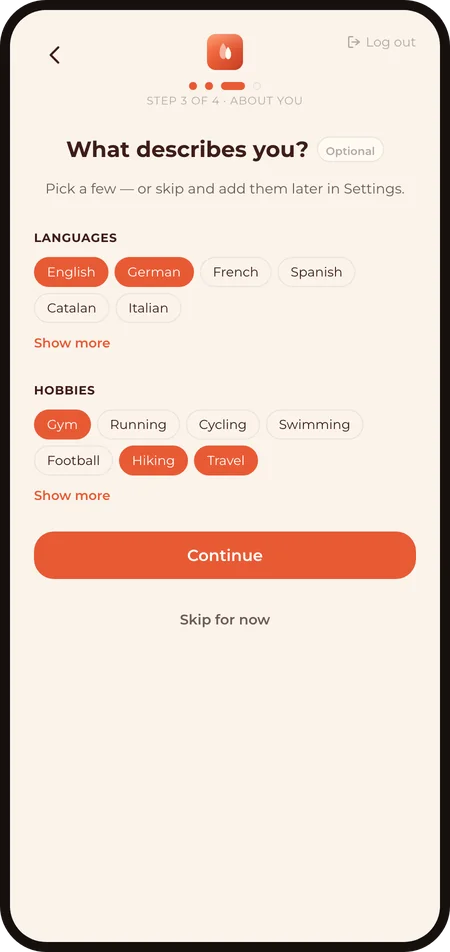
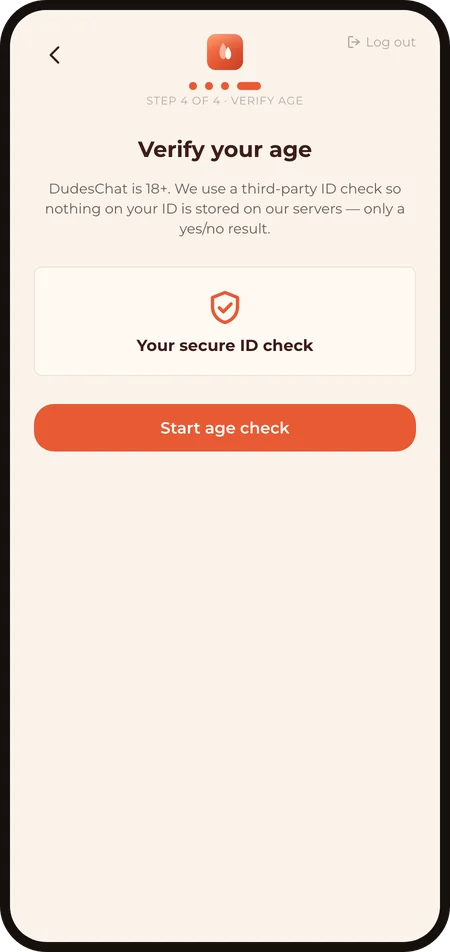
After sign-up, four quick steps set up your profile:
- Location — the app asks for location access so Discover can show Dudes near you. Your exact position is never shown to anyone — see Privacy & your data.
- Photo — a clear, pants-on photo of you. You'll crop it to fit, and you confirm the photo is of yourself. Our Content Guidelines explain what flies and what doesn't.
- About you — your languages and hobbies. Optional, but it helps Dudes find common ground with you. You can skip it and fill it in later.
- Verify age — a quick verification step confirms you're 18+. See Verification for how it works.
While your profile is reviewed
Every new profile photo is checked by a human before your profile goes public — that's part of how DudesChat stays real. Review usually takes about 24 hours. While you wait, you can already polish your profile: add your socials, your sexual identity details, and your favorites.
When you're approved, the app tells you — and Discover, Messages, and the Feed open up.
One tip worth taking before you dive in: set your "I Am" and "I Am Into" tags (Menu → Edit my profile → Identity). They power the match percentage on every Discover tile — without them you score 0% with everyone. Discover & matching explains why.
Something not working?
If sign-up fails, the verification email doesn't arrive (check spam first), or you're stuck on a step — contact us or email support@dudes.chat and we'll sort it out.
Last revised: 2026‑09‑12