In short
- Free to join, free to use. The core app — profile, Discover, Messages, Feed — costs nothing.
- Supporter is the optional subscription that keeps the lights on and unlocks extras.
- In-app subscriptions are billed — and refunded — by the store you bought from (Apple or Google).
- Founding contributions are one-time, made on this website, and carry a ship-or-refund guarantee.
What's free
Everything you need to use DudesChat: your profile, photo albums, Discover, Messages, the Feed, verification, and safety tools. Members who go premium keep it that way for everyone — so you're the customer, never the product.
Supporter
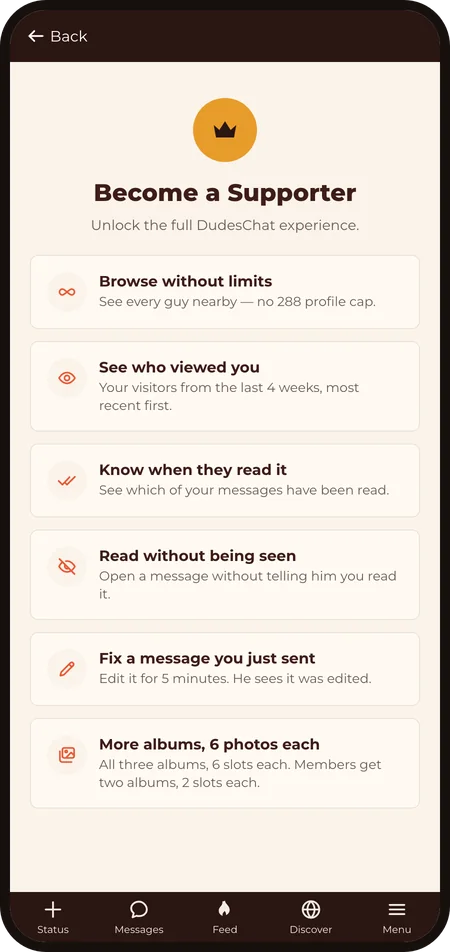
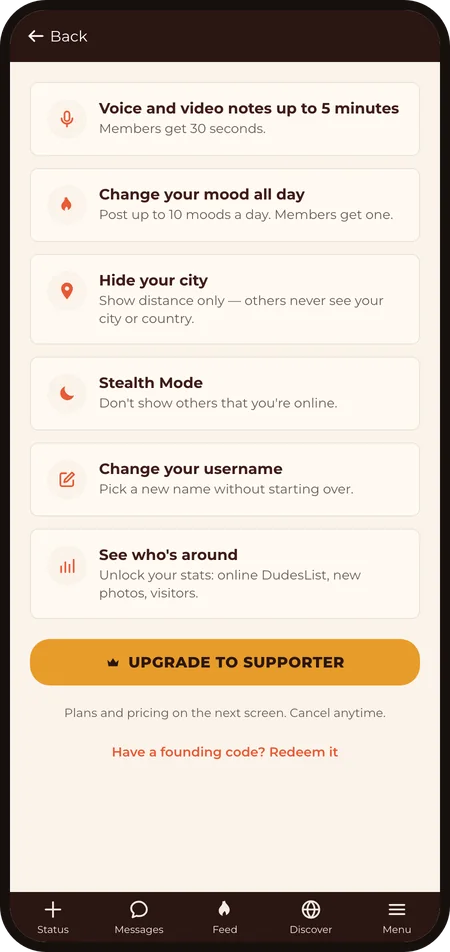
Supporter is the optional subscription that funds the app, found in the Menu. Supporters get extra perks on top of the free experience. You subscribe in the DudesChat app on your phone, through the App Store or Google Play; plans and prices are shown there. On the web, checkout is still coming.
Founding contributions
Until 30 September 2026 you can back the build with a one-time founding contribution — the Early Bird, Pioneer, Patron, and Founder tiers on the home page. Each includes premium time (up to lifetime) once the app launches, delivered as a redeem code by email. Founding contributions are processed through Open Collective and covered by the Q4-2026 ship-or-refund guarantee — details in the Refund policy. From 1 October 2026, premium is sold in the app.
Lost your redeem code? Contact us with the email you contributed with and we'll resend it.
Managing or cancelling a subscription
In-app subscriptions renew automatically until you cancel, and they're managed by the store you bought from, not by us:
- iOS: Settings → your name → Subscriptions → DudesChat → Cancel.
- Android: your device's store subscription settings.
- Web premium: managed through Open Collective, or write to us and we'll cancel it for you.
Cancelling stops the next charge; you keep access until the end of the period you've paid for.
Refunds
In-app purchases are refunded by the store under its policies: Apple via reportaproblem.apple.com, Google via your Play account. Founding contributions and web premium: contact us — the full terms are in the Refund & Cancellation Policy.
Account settings
Under Menu → My Account you can change your email (confirmed by a link to the new address), change your username (a Supporter feature), and delete your account — see Privacy & your data for how deletion works.
Locked out? Use the password reset on the login screen; if that dead-ends, contact us from the email on your account.
Last revised: 2026‑09‑12